Orchestrated

Developer Insights

See how your engineers actually use AI.

Who is using AI coding tools, on what, and where the cost and time go, across laptops, cloud workspaces and automated agents. The evidence engineering leaders need.

Beta · Commercial licence · Works with Claude Code

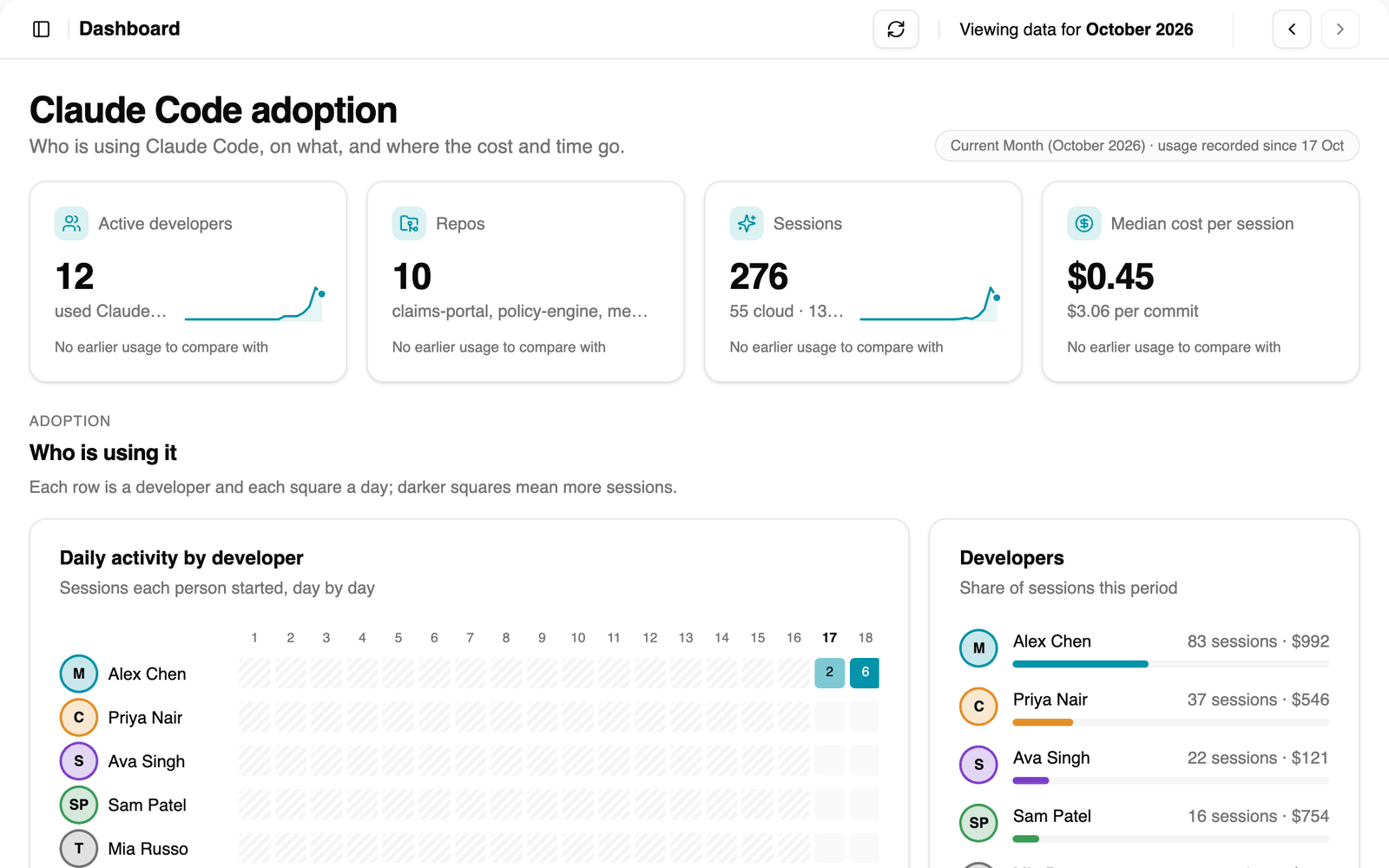
Developer Insights / dashboard
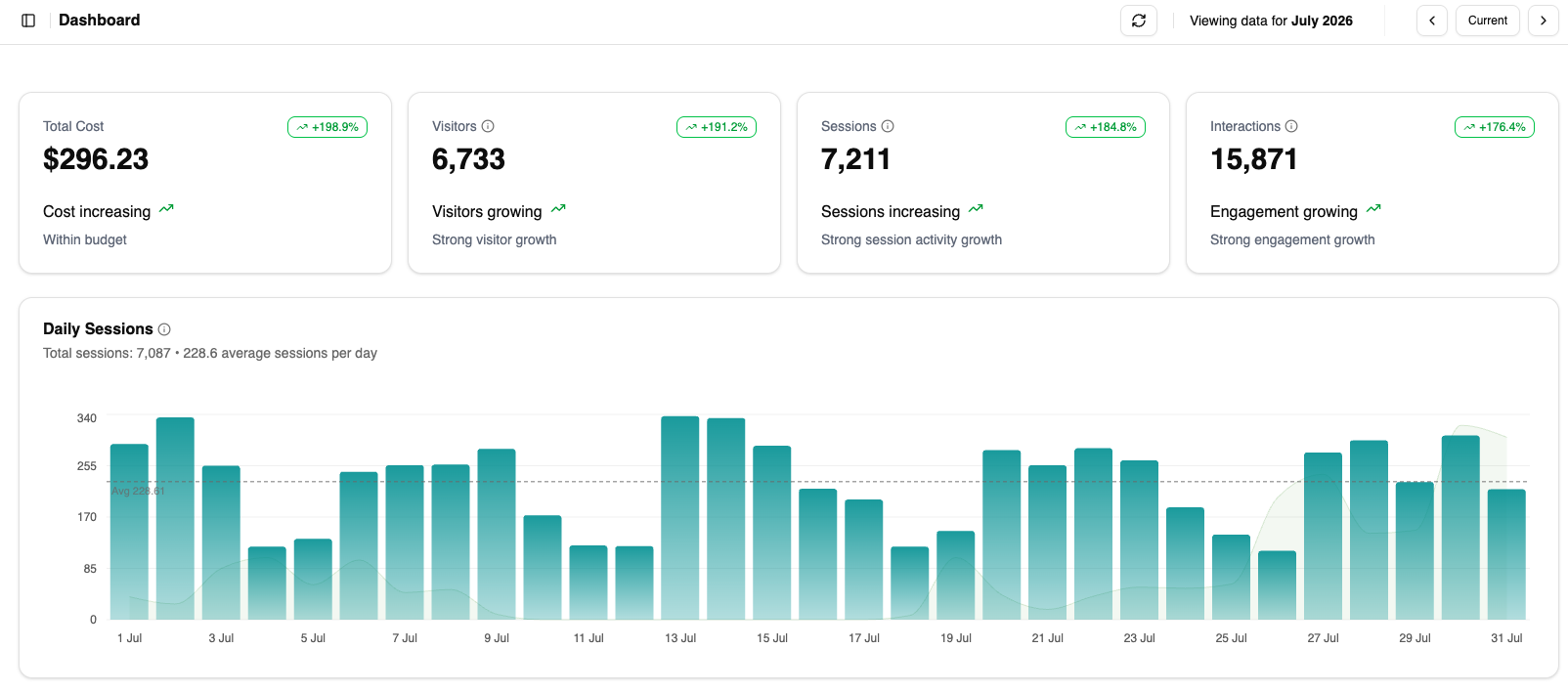
Developer Insights dashboard: active developers, repos, sessions and median cost per session, daily activity by developer and each developer’s share of sessions

Features

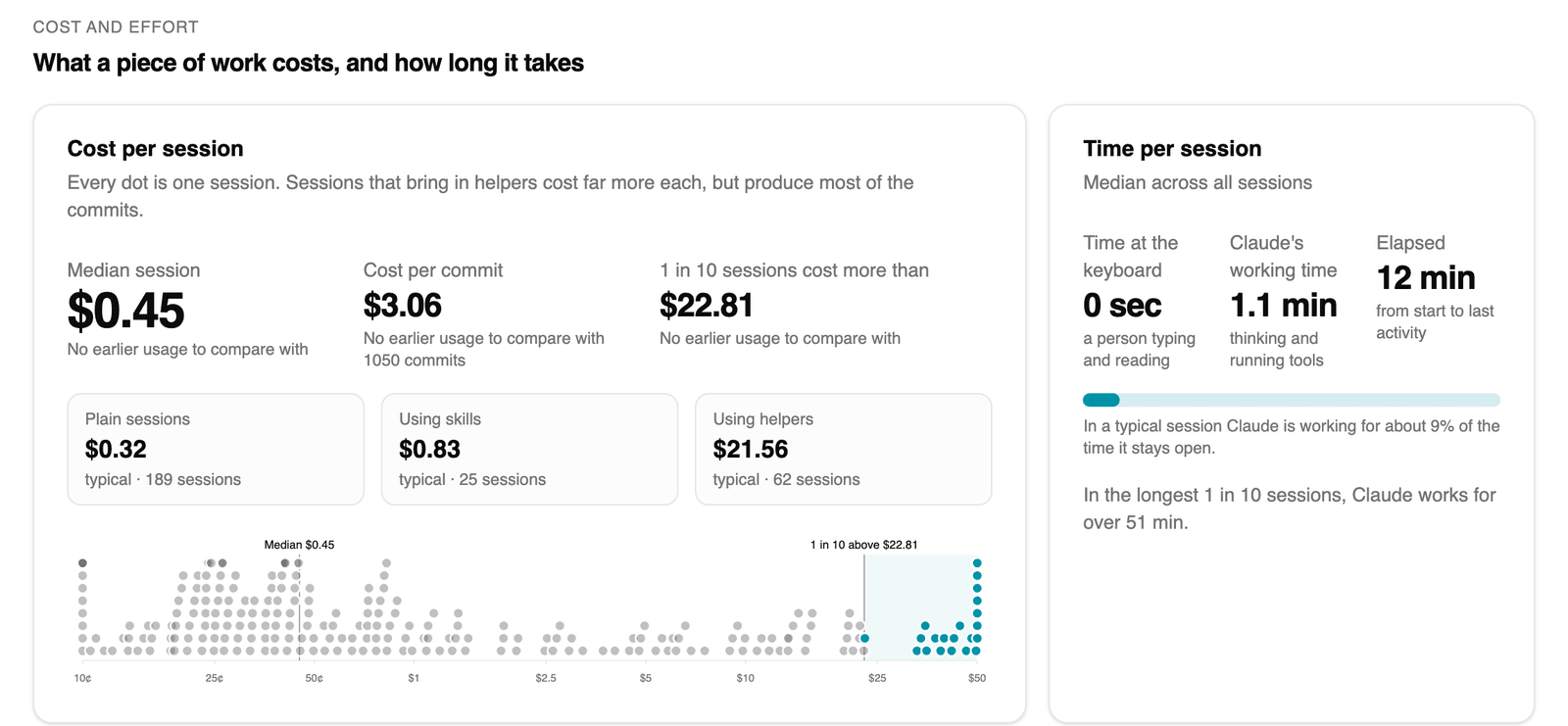
Developer Insights / cost and effort
Developer Insights: cost and effort

Cost and effort

Know what a piece of work costs.

Every session is costed and timed, so you can see what typical work costs, what a commit costs, and which sessions are worth a closer look.

  • Median cost per session and per commit
  • Plain sessions compared with skills and helper agents
  • The costliest 1 in 10 sessions flagged for review
  • Time at the keyboard against the time AI spends working
Developer Insights / developers
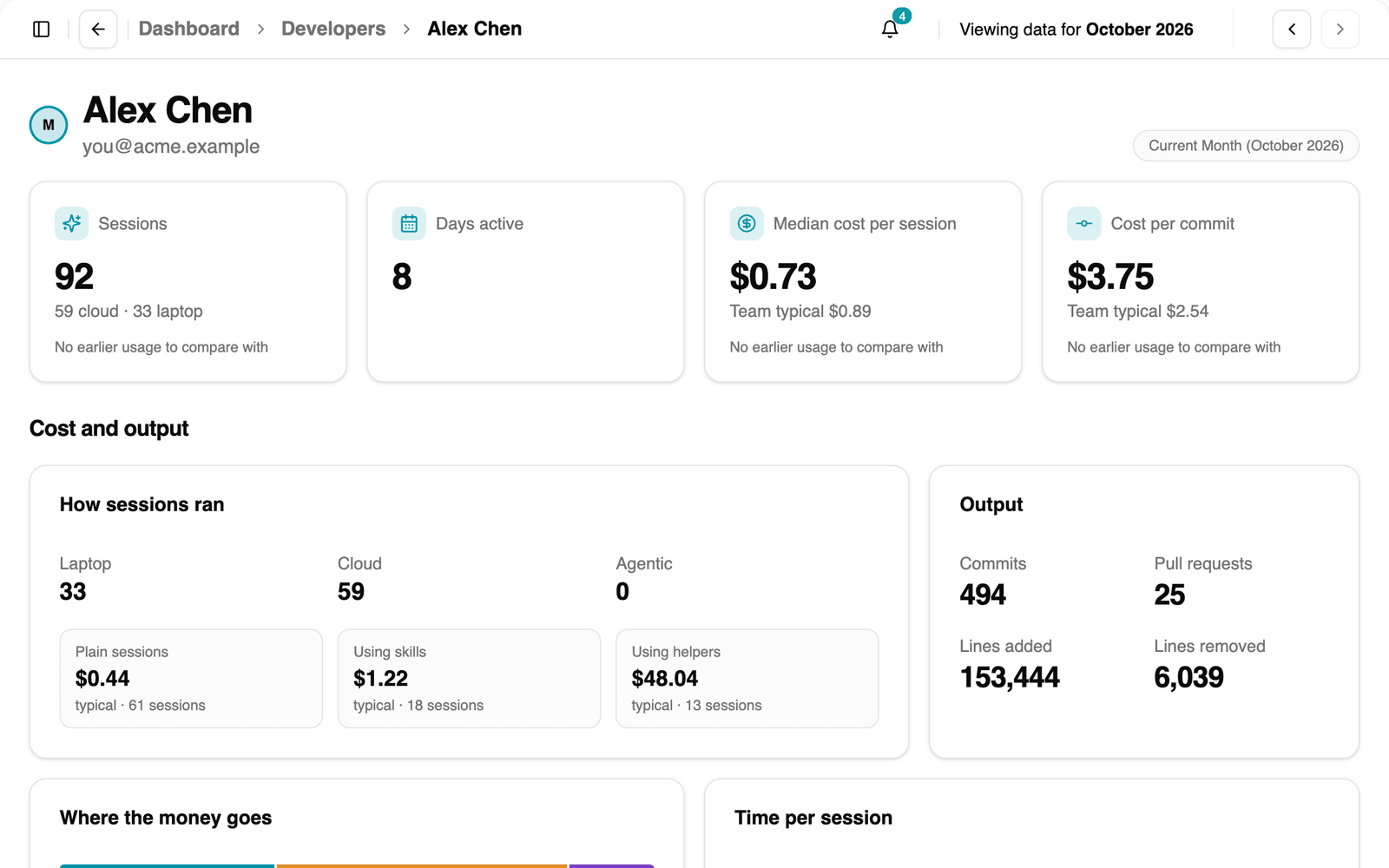
Developer Insights: developers and agents

Developers and agents

Every developer and every agent, in context.

Each person’s sessions, cost and output sit beside the team’s typical figures, never in a ranking. Runs started by automation get the same profile, so you can see what an AI reviewer or fixer costs and produces.

  • Laptop, cloud and agentic sessions, side by side
  • Cost per session and per commit against the team typical
  • Commits, pull requests and lines changed
  • Approvals, kinds of files changed and sandbox health
Developer Insights / sessions
Developer Insights: sessions

Sessions

Read the session behind any number.

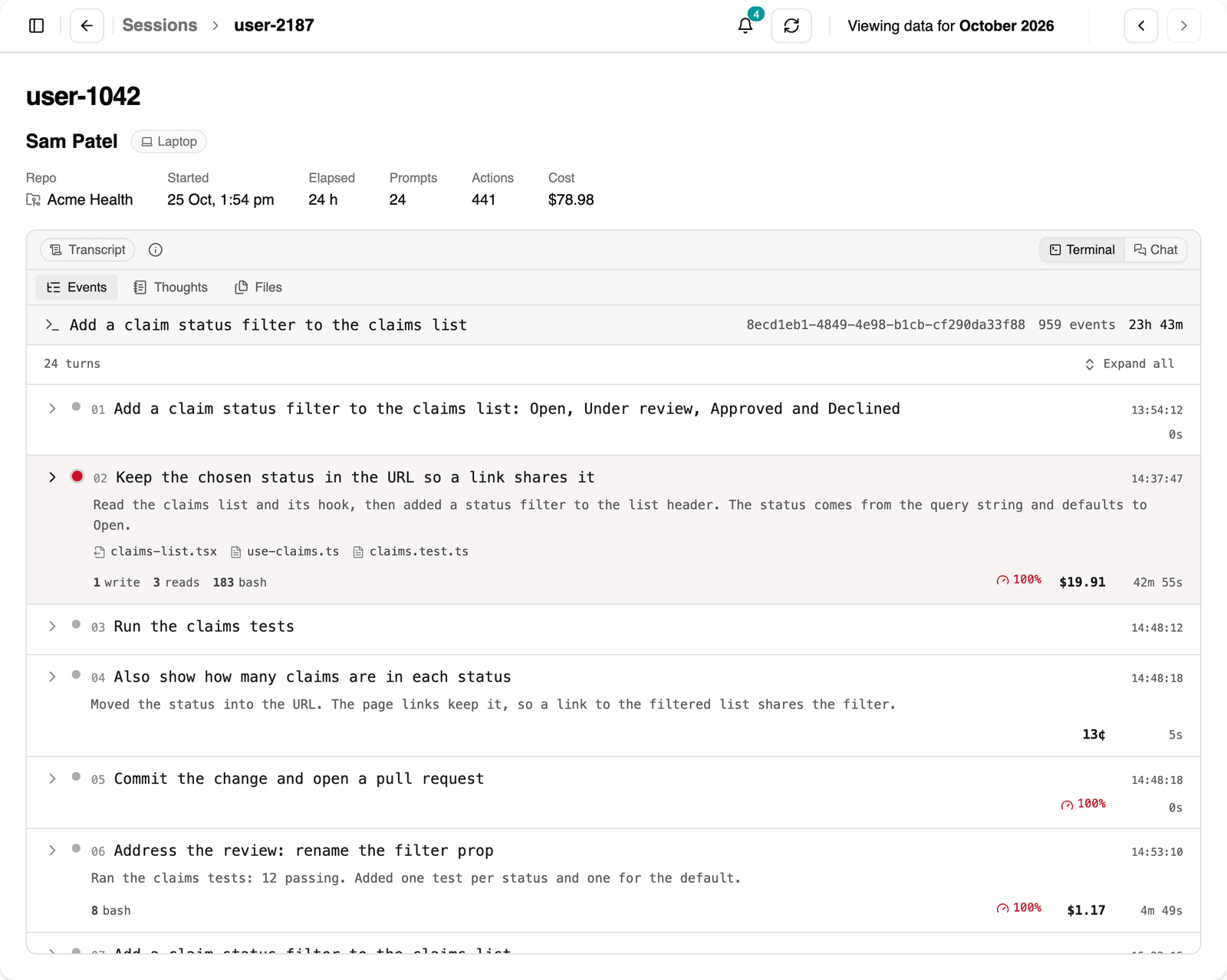
Open a session to see each prompt, the steps AI took, the files it touched and what each turn cost, in a terminal or chat view. Laptop sessions arrive through the Orchestrated plugin; cloud sessions archive themselves.

  • Prompts, tool calls, thinking and file changes
  • Cost and time for every turn
  • Laptop sessions private by default, shared when the developer chooses
Developer Insights / skills, models and repos
Developer Insights: skills, models and repos

Skills, models and repos

See which skills and models do the work.

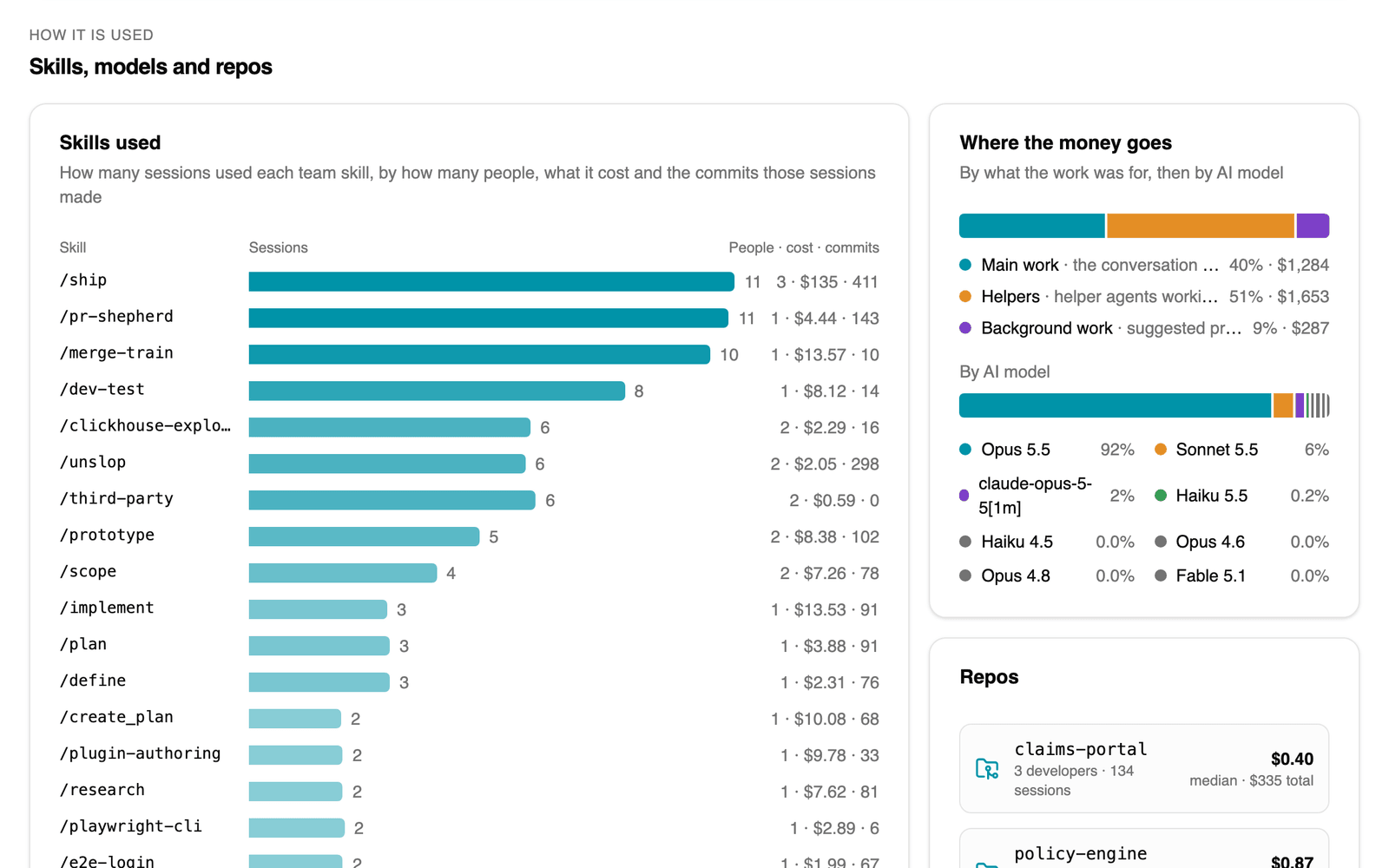
Find the team skills that get used and the ones that don’t, what each costs and the commits they produce, and where the money goes by type of work, AI model and repository.

  • Sessions, people, cost and commits for every team skill
  • Spend split between main work, helpers and background work
  • Cost and activity for every repository
Developer Insights / projects
Developer Insights: projects

Projects

Roll repositories up into projects.

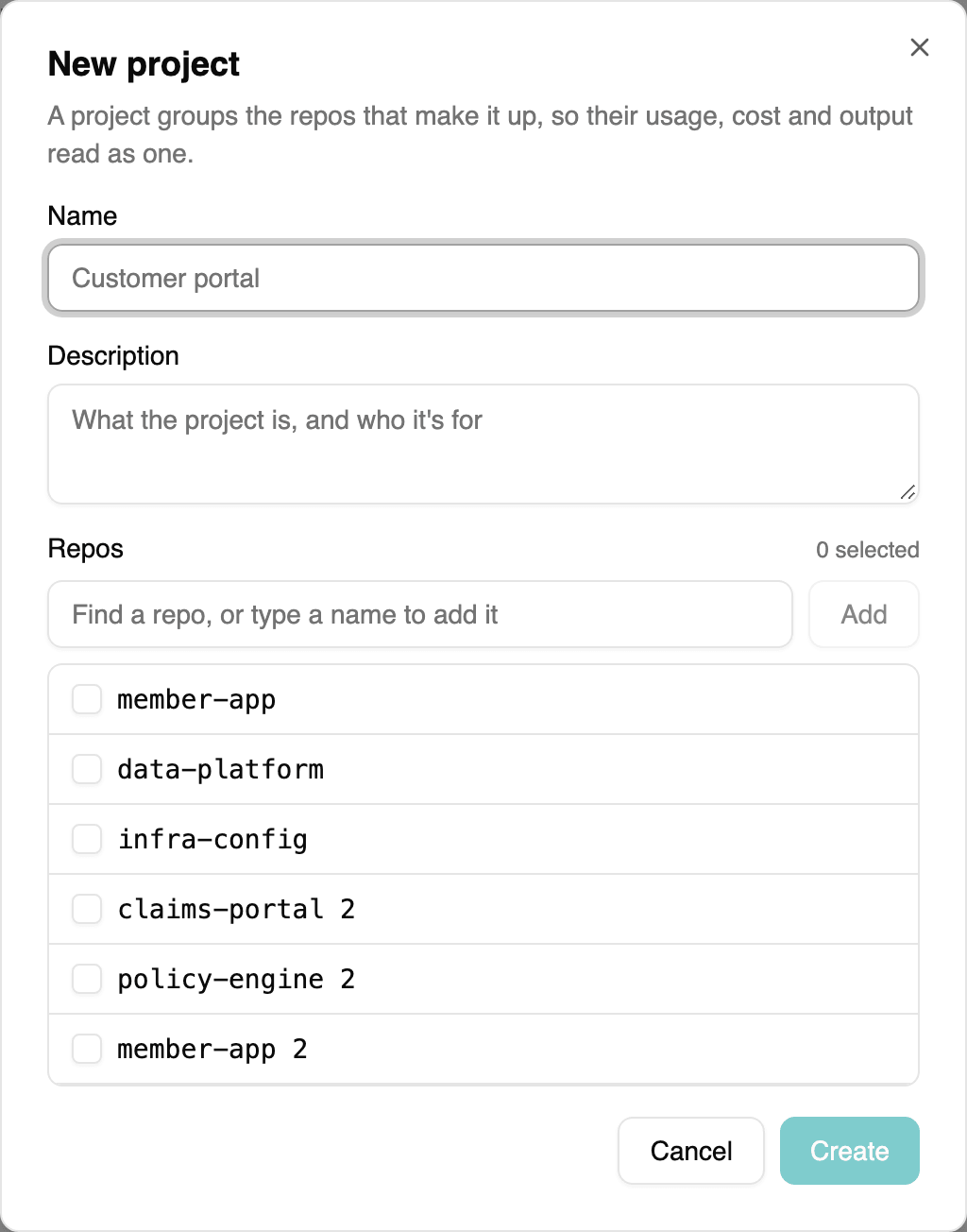
Group the repositories behind one piece of work, such as a front end, an API and its infrastructure, and see its cost, output and people in one place.

  • Projects created by your own admins
  • The same profile as a developer, for the whole project
  • Every session that touched the project, ready to read

Everything in one view

  • Adoption

    Who is using AI coding tools, day by day.

  • Sessions by mode

    Laptop, cloud workspace and automated agent sessions, counted separately.

  • Cost per session

    Typical and outlier costs, with the sessions behind them.

  • Cost per commit

    What AI-assisted output actually costs.

  • Skills usage

    Which team skills get used, by whom, and what they produce.

  • Model spend

    Where the money goes by AI model and type of work.

  • Projects and repos

    Cost, activity, skills and people for every repository and project.

  • Developers and agents

    Each person and each automated agent, compared with the team typical.

  • Session transcripts

    The prompts, tool calls and file changes behind any session you can see.

  • Laptop session sync

    The Orchestrated plugin backs up laptop sessions in the background, with nothing to configure.

  • Private by default

    Developers choose which laptop sessions their organisation can read.

  • Sandbox health

    How often web access, network calls and commands fail inside cloud workspaces.

Coming next

On the roadmap
  • Delivery metrics

    DORA metrics alongside AI usage, so you can see how AI changes delivery speed and stability.

  • AI-native maturity

    How agentic each team's way of working is, tracked over time, so coaching is backed by data.

  • Prompt effectiveness

    Which prompts get the work done first time, and which need repeated attempts.

  • Loops

    Sessions where AI goes round in circles: retries, repeated attempts and dead ends.

Use it yourself, or with our coaches

Developer Insights

Your leaders, the full picture

Connect your teams’ AI coding tools and see adoption, cost, skills and output in one place. Licensed and supported by our team.

Developer Insights + coaching

Turn the numbers into capability.

Our coaches use what Developer Insights shows to target where teams need help, then track the uplift as AI-native practice takes hold.

More on engineering coaching

See how your teams use AI.

Request access to the beta and we’ll help you connect your first teams.